SITEKEEP COMMUNITY
SiteKeep Community Features
The complete document control core, free and open source under AGPL-3.0, for any number of users and projects. Everything on this page is in Community: no licence, no limits.
Documents & Versions
Drag-and-drop upload, a new version for the same name, attributes, SHA-256 checksums and version comparison for PDF, DWG and IFC.
- Upload by drag and drop; a file with the same name becomes the next version, and the whole history is kept.
- Every version keeps its attributes, its suitability and revision codes and a SHA-256 checksum.
- Compare two revisions: changed regions, title block and text on PDF drawings, layer by layer on DWG and DXF, element by element on IFC, and cell by cell on Excel and CSV.
- Word, Excel, PowerPoint, PDF, images and e-mails open in the browser without downloading; the view permission is enough.
- Drawings can be split into sheets and grouped into sheet sets.
Folder Permissions
Six permission levels per person or company, inherited down the folder tree.
- Six levels: View; View and Download; View, Download and Markup; Upload Only; Edit; Manage.
- Given to a person or to a whole company and inherited down the folder tree; a subfolder can raise a level but never lower it.
- Upload Only lets a party deliver files while seeing only the files it uploaded.
- With the ISO 19650 rules on, each task team works in its own Work in Progress folders, hidden from the other teams until it shares.
- Each project has its own list of companies, and people see only the companies and people of their own projects.
- Sign in with local accounts, Google or any OpenID Connect provider such as Microsoft Entra ID, Keycloak or Okta, with two-factor authentication (TOTP) that administrators can make mandatory.
Naming Standards
Naming rules bound to folders and enforced on upload, unique document codes, ISO 19650 suitability and revision codes, and a built-in ÇŞB 2026 profile.
- Define naming standards per project with lists, text and number fields, and bind them to folders; a name that does not fit is refused at upload.
- The document code is read from the file name and is unique within the project.
- Suitability and revision codes are kept for every version, as ISO 19650 asks.
- ÇŞB 2026 (EK-2): a built-in profile for Türkiye's regulation on digital architecture and engineering projects (Resmî Gazete, 5 August 2026), with nine fields and 35 characters, offered by the Turkish construction template and the project set-up wizard.
- Project templates and a set-up wizard bring parties, folders, naming standards, workflows and ISO 19650 rules in one go.
Review & Approval
Review and approval chains, transmittals and correspondence, TIDP / MIDP delivery plans and a close-out archive.
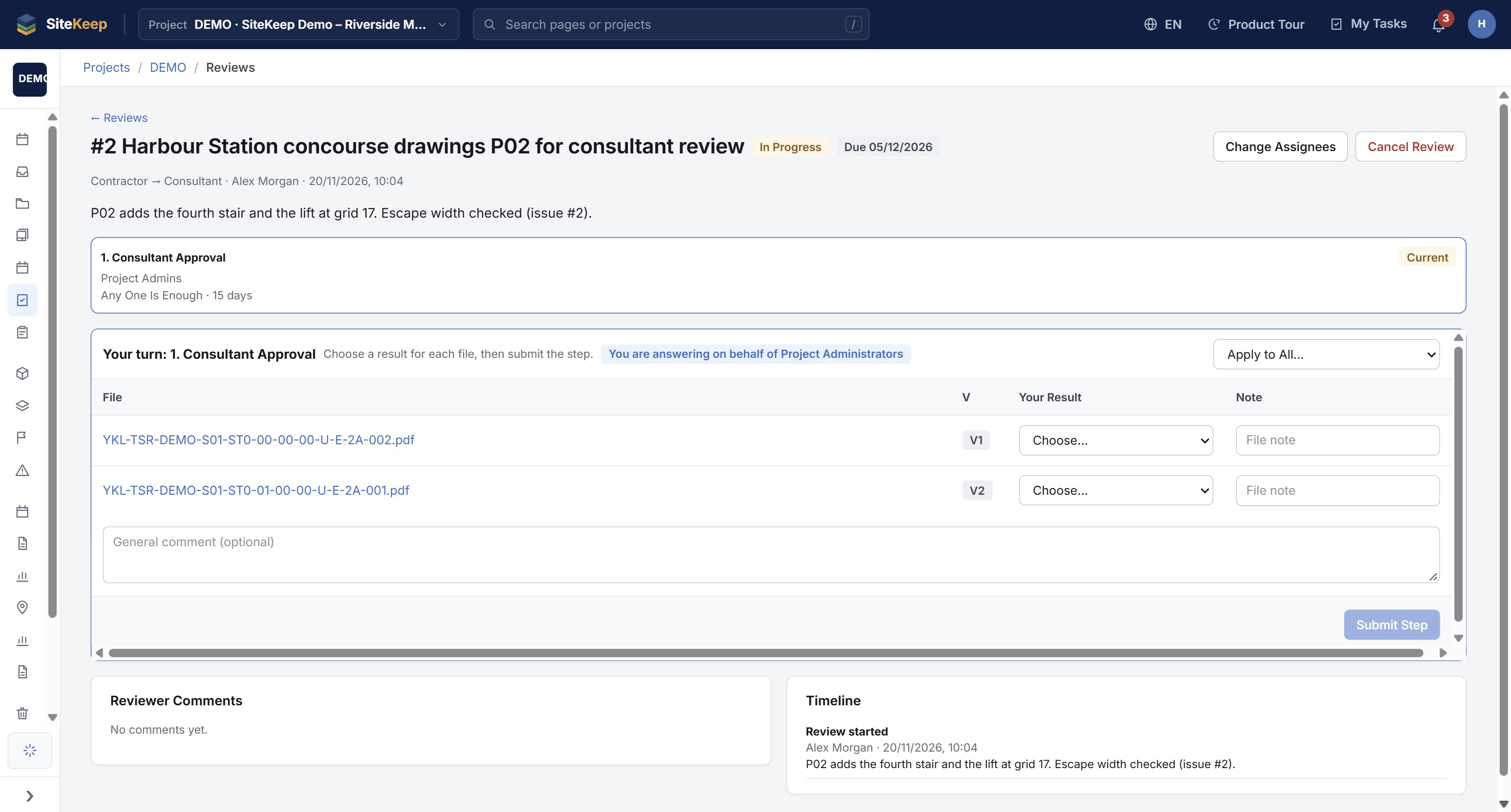
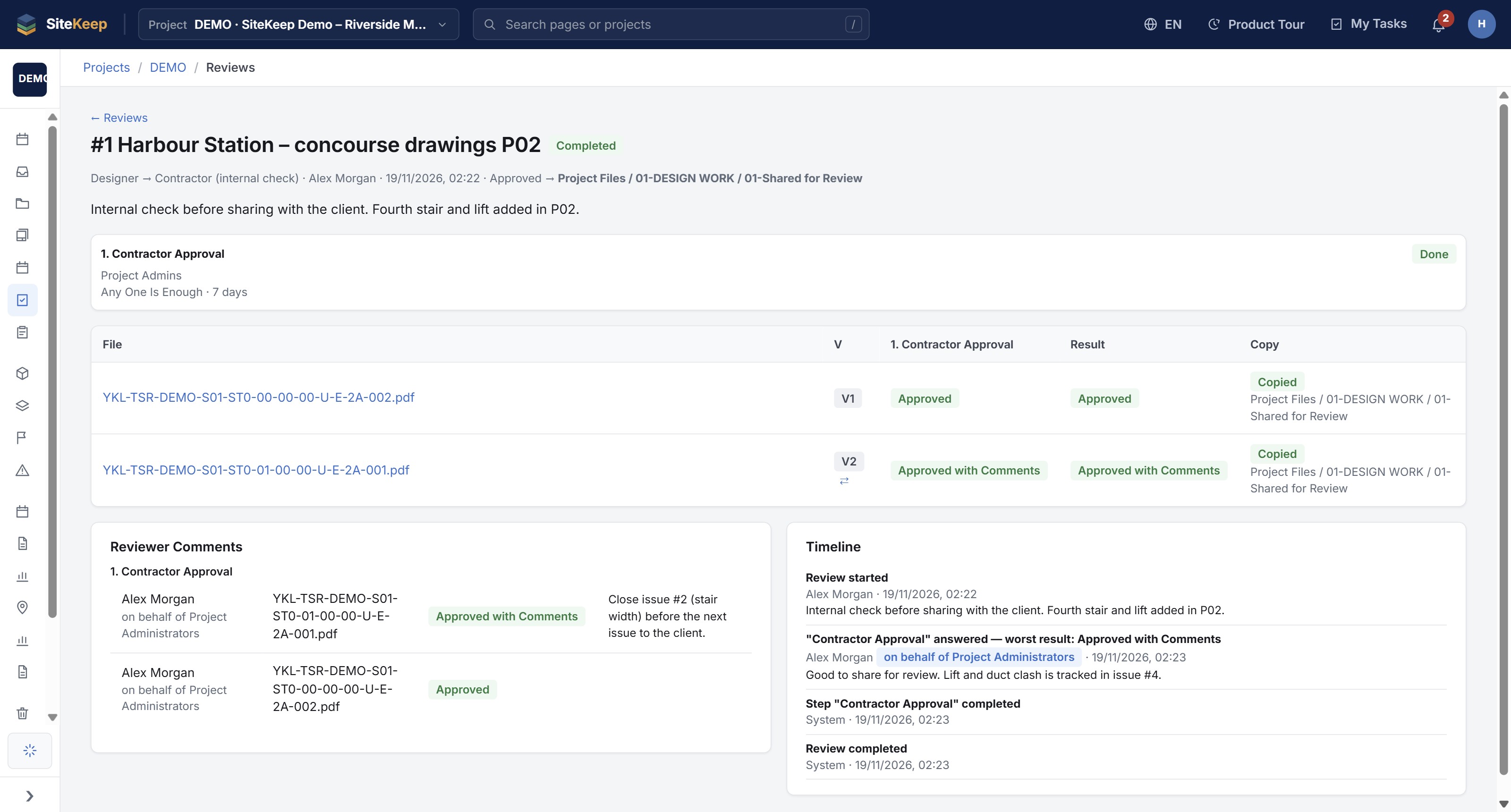
- Review chains with one or more steps, each with its assignees, a due date and a rule such as “any one is enough”.
- Reviewers give a result and a note for each file, and the review keeps a full timeline.
- With the ISO 19650 rules on, information moves from Work in Progress to Shared and Published only through a review.
- Numbered transmittals and correspondence, with an automatic transmittal when a review is completed.
- TIDP / MIDP delivery plans, and a close-out archive at the end of the project.
Issues & BCF
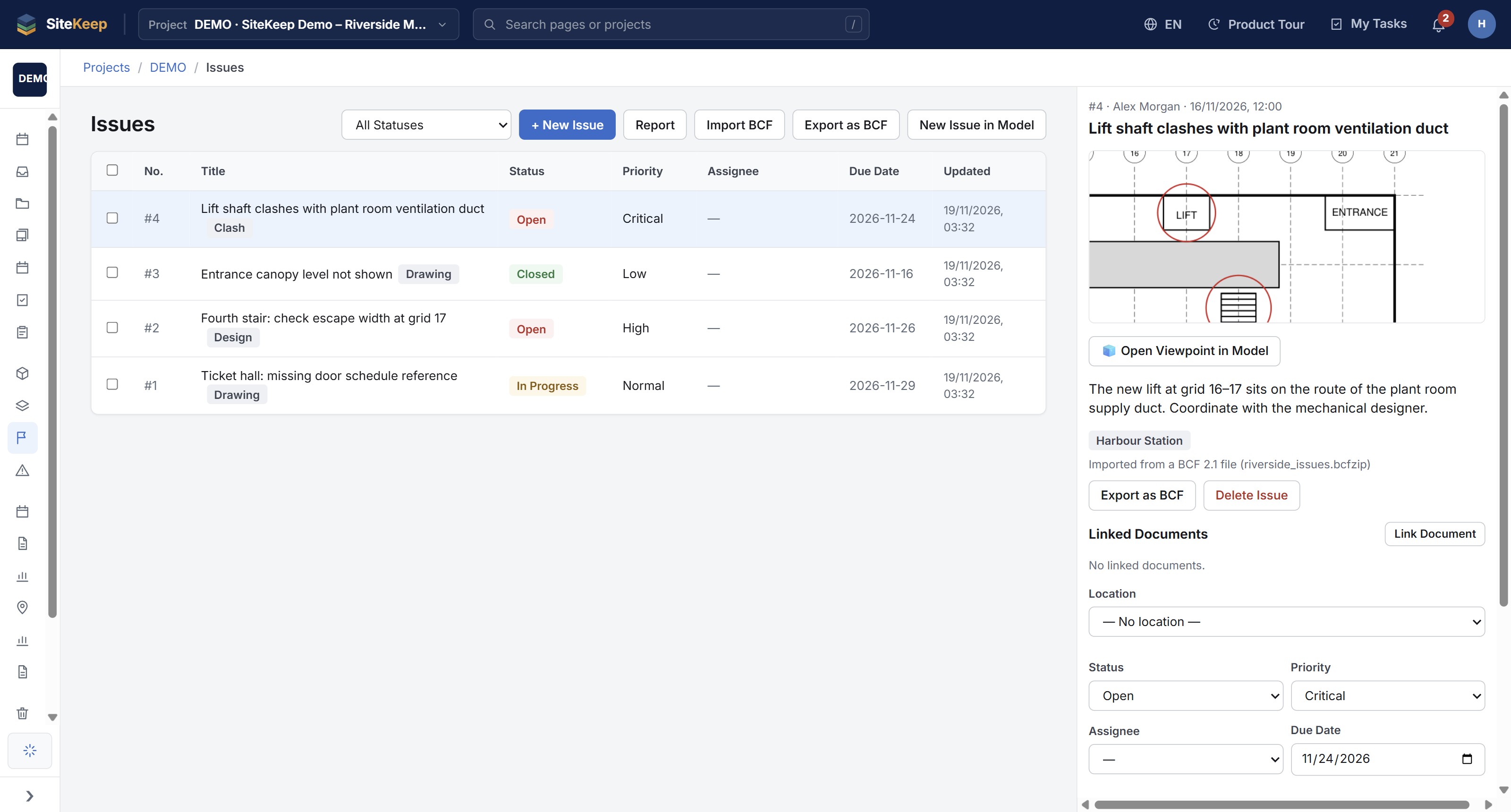
3D pins and BCF viewpoints with status, priority and assignee; BCF import and export.
- Pin an issue to a model element, or save a viewpoint with the camera, the models, the selected elements and a snapshot.
- Issues without a model too: create them on the Issues page and link the documents they are about.
- Status, priority, type, assignee and due date, with comments and a history.
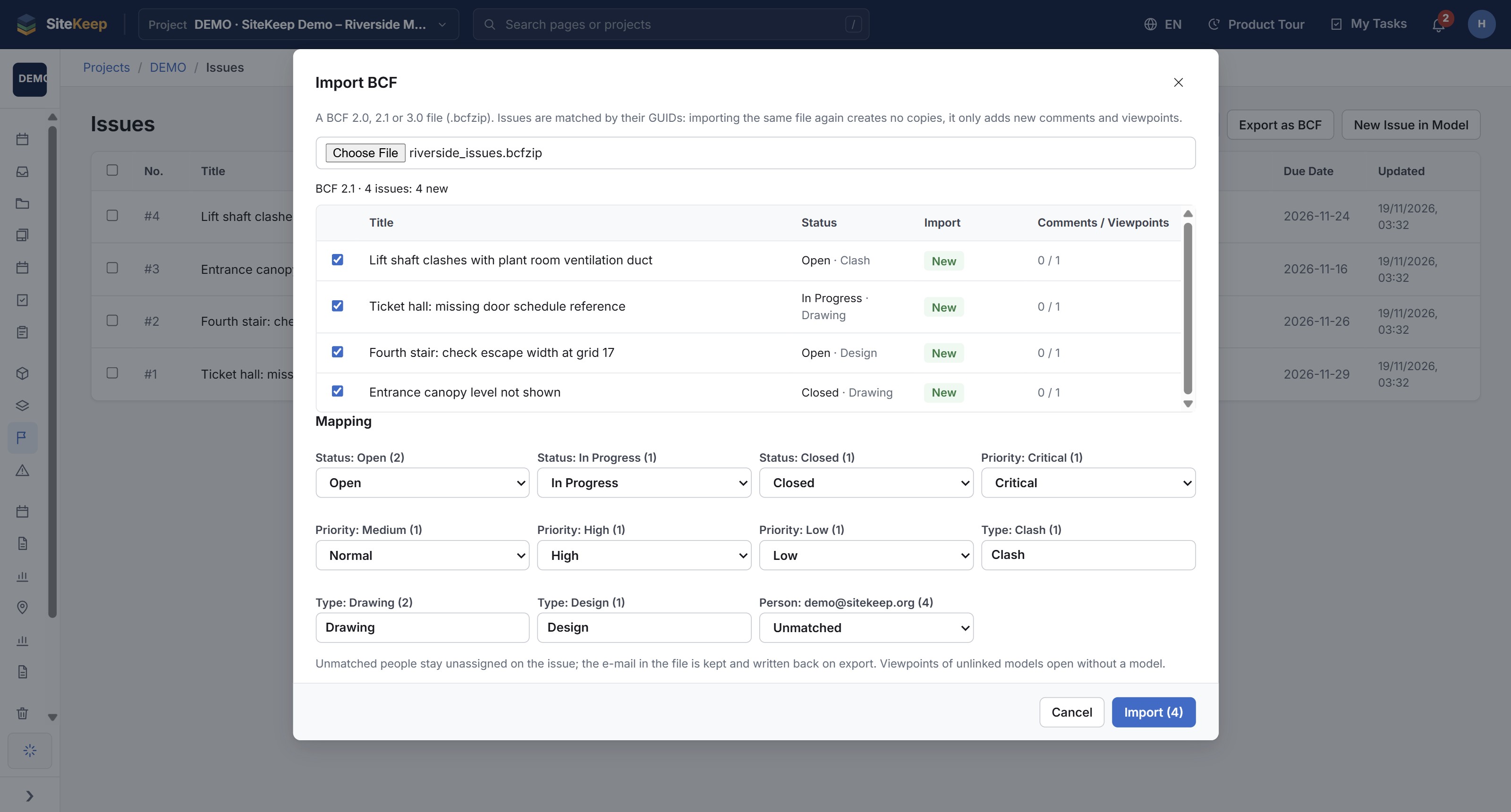
- Import BCF 2.0, 2.1 and 3.0 files and export BCF 2.1 or 3.0; importing the same file again only adds new comments and viewpoints.
- Markups on models and drawings can be turned into issues.
Model & Drawing Viewers
Federated IFC viewer with markup and IDS checks, DWG/DXF and PDF previews, and drawing sheet sets, in the browser on any device.
- Federated IFC models in the browser: orbit, walk and plan modes, section planes and boxes, measurements, X-ray and snapshots.
- Markups with pen, arrow, revision cloud and text, saved with the viewpoint and carried over to newer versions.
- DWG and DXF drawings with layers, length, area and angle measurements and snapping, without CAD software.
- Office documents, PDFs, images and videos open the same way; everything runs on your server, with no internet connection needed.
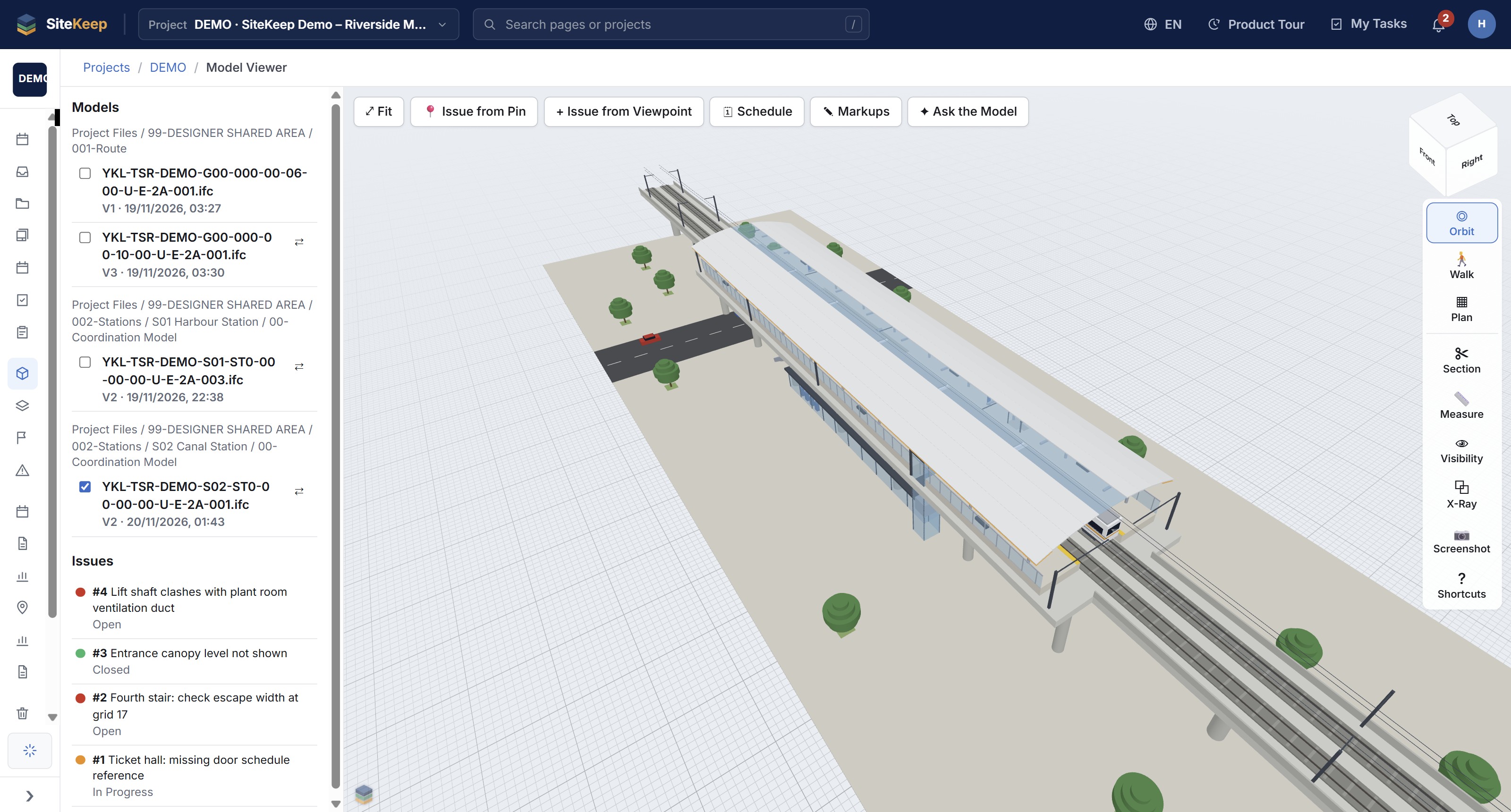
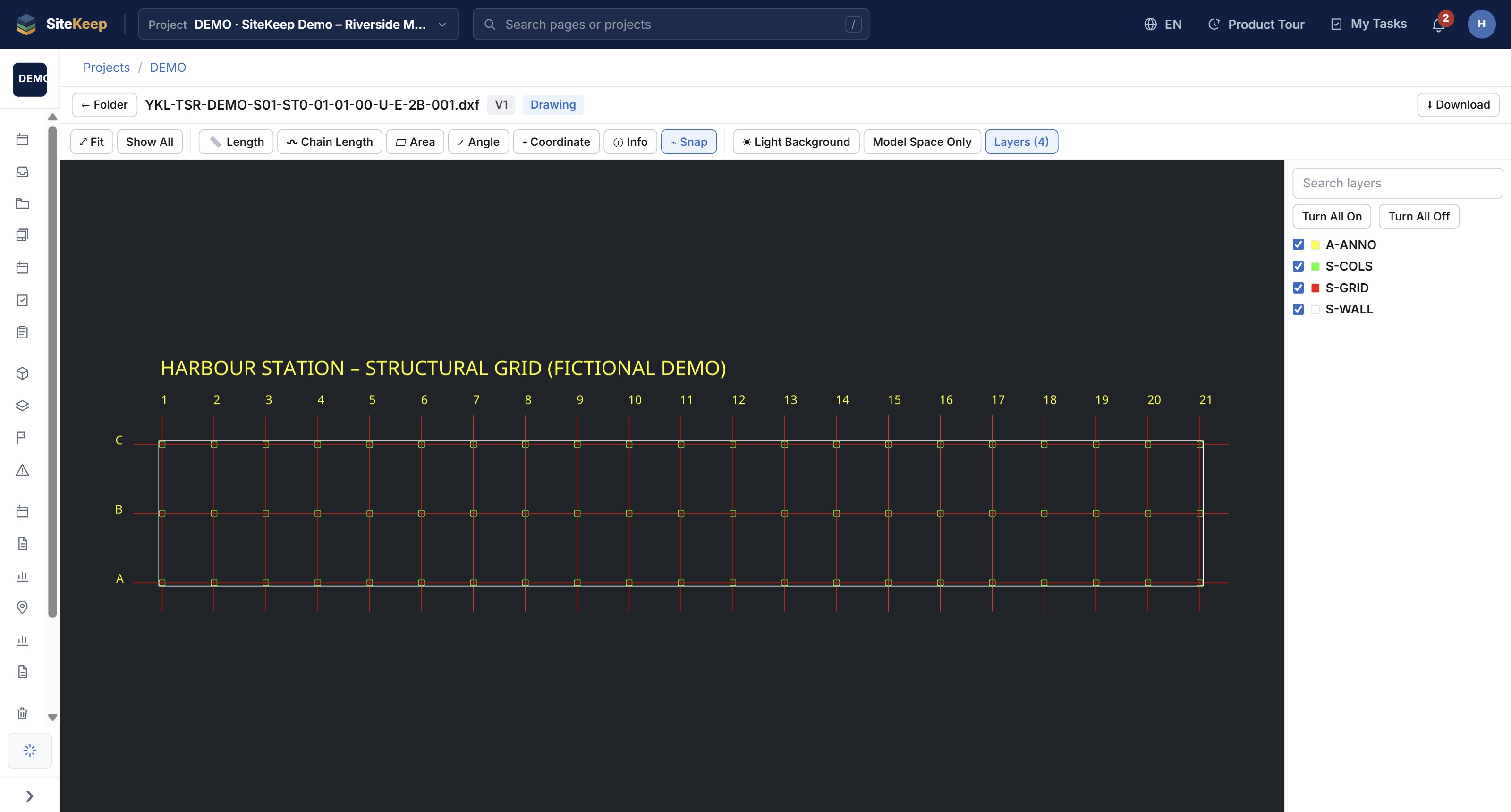
Screenshots from a fictional demo project.
Open Standards
REST API, buildingSMART OpenCDE APIs, a local MCP server for AI assistants and full project export, so your data is never locked in.
- A REST API with personal access keys: read-only by default, read-write only with an administrator's permission, and limited to projects and a lifetime.
- buildingSMART OpenCDE Foundation API 1.1 with built-in OAuth2, and the Documents API 1.0.
- IFC models and BCF issues in and out, and CSV export from every report list.
- Full project export: the whole project as one ZIP of JSON, CSV, BCF 3.0 and the files, with SHA-256 checksums. A system administrator restores it as a new project on another SiteKeep installation.
- A local MCP server lets AI assistants such as Claude work with your projects, with your own permissions and every call in the audit log. A hosted MCP endpoint comes with the Enterprise AI module.
Audit Trail
Changes, views and downloads are recorded in a tamper-evident audit log with CSV export.
- Every change, view and download is recorded: who, what, when and from where.
- The log is append-only and hash-chained, so a changed or deleted row is detected.
- IP addresses and user agents are kept apart from the chain, so retention periods and erasure requests can be honoured without breaking it.
- Filter the log and export it to CSV; a security log lists sign-ins, failures and lockouts, with e-mail alerts.
- It is the audit trail ISO 19650 asks of a common data environment.
Privacy Centre
The server sends nothing out on its own. Every outbound connection is listed in Privacy Centre with its own switch and log, and all can be switched off with one setting.
- No telemetry, no usage statistics and no update check.
- Each outbound connection, such as an AI provider, the e-mail server or Google and OpenID Connect sign-in, is turned on by an administrator and listed with its servers, its last use and its own switch.
- Every outbound call is logged without its content, and one switch cuts them all.
- Personal data export and anonymisation for data subject requests, and retention periods you set.
Runs on Your Own Machines
One Docker image for Linux servers, and the same image for a trial on a Mac or a Windows PC.
- A Linux server with Docker Compose, or the offline installation bundle with HTTPS, nightly backups, upgrades and rollback.
- The image is published for x86_64 and ARM64, so it runs natively on Apple Silicon Macs with Docker Desktop; it has been tested there end to end.
- On Windows, Docker Desktop with the WSL2 backend runs the same image for a trial or a demo.
- For a team server, install on Linux; the data stays in two volumes that you back up together.
Free for Any Number of Users and Projects.
Install SiteKeep Community on your own server, or add Enterprise modules when you need them.
Get SiteKeep CommunityAll Enterprise Modules